


GPS Speedometer: Speed Tracker
4.716.16K Reviews
App Specs
- Version
- 18.2.0
- Updated On
- License
- Free
- Downloads
- 5,000,000+
- Developer
- COOL NIKS
- Categories
- Maps & Navigation
- Platform
- Android
Screenshots
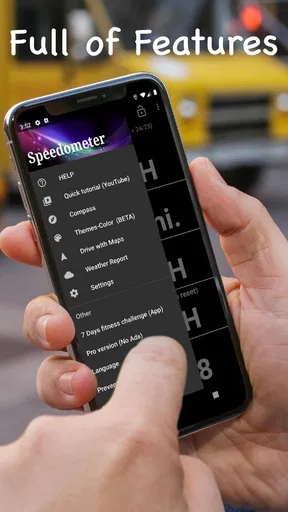
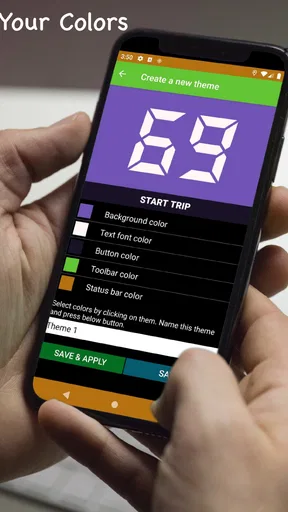
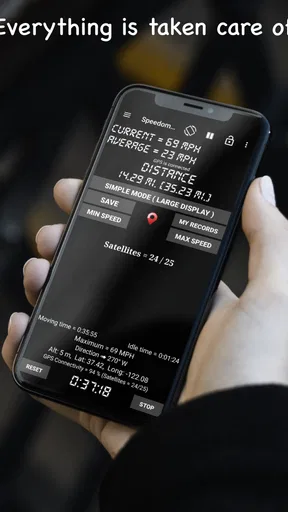
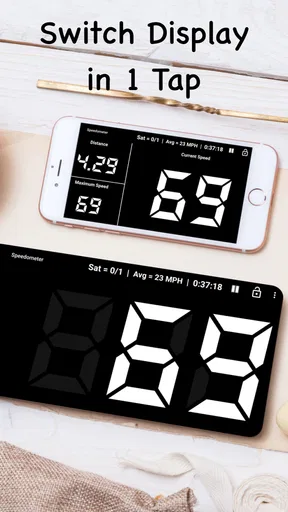
 Analysis by AppCompare
I usually reach for a dedicated GPS speed display when I want a quick read on movement rather than another full navigation screen. GPS Speedometer: Speed Tracker is aimed at that simple job: it turns a phone into a speedometer and distance tracker for trips by car, bike, or truck. I find that focused purpose useful when I want to check pace without planning a route or looking through a more complicated maps app.
What free access means in practice
The app is free, which makes trying it a low-commitment choice. That tells me the basic download does not require an upfront purchase; it does not, by itself, tell me anything about optional purchases or other terms, so I would not assume more than that. For someone who needs an occasional speed readout, free access is a meaningful part of the appeal: there is no need to buy a dedicated device before finding out whether a phone-based display suits the way they travel.
It has been available since May 5, 2016, and COOL NIKS is the developer. The current version is 18.2.0, and the app is rated for Everyone. Its average rating is 4.7 from around 60,000 ratings, with about 16,000 written reviews, and it has passed 5 million installs. Those figures suggest that many people have tried it, but I would still judge it by whether its GPS readout behaves well on my own phone and in the places I actually travel.
Getting Started with GPS Speedometer
First things first, the installation process was a breeze. You can find GPS Speedometer: Speed Tracker on both Android and iOS, and it’s as simple as tapping a button to get it downloaded. Once installed, you’re greeted with a clean interface that’s pretty intuitive, even for someone who’s not super tech-savvy. The app doesn’t bombard you with ads or unnecessary fluff, which is a huge relief in today’s app-crazy world.
Features That Stand Out
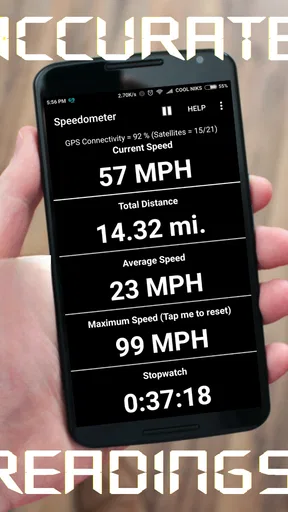
Now, let’s talk about what makes this app tick. The main feature, as you might guess, is its ability to track your speed using GPS. The accuracy is impressive, and it updates in real-time, so whether you’re zipping down the highway or just taking a leisurely stroll, you can always know your precise speed. It’s like having a speedometer that goes wherever you go.
Another cool feature is the ability to set speed limits. This is great if you’re someone who tends to have a heavy foot on the pedal. You can set your desired speed limit, and the app will alert you if you exceed it. Trust me, it’s a lot nicer to hear a gentle beep from your phone than to see flashing lights in your rearview mirror!
How GPS readings compare with built-in alternatives
A phone GPS speedometer fills a different role from the speed display already built into a car or the navigation app on a dashboard. The vehicle’s own speedometer is the one I would treat as the primary reference while driving; this app is better as a second glance, especially if I am curious about a route or want a separate trip readout. A navigation app is the stronger choice when I need turn-by-turn directions, traffic context, or route planning. This one is more focused on showing movement and distance.
Worth Reading Before You Choose

EA SPORTS FC Mobile 26 Is a Bigger Football Game, but It Takes Time

Flipboard Shows What News Apps Must Do Beyond the Feed

Switching to Android Auto Means Rethinking Your Driving Routine

Google Calendar Makes a Crowded Week Easier to Manage

Ludo King Makes the Most of the Minutes Between Plans

Baby Panda World Brings Quick Play to Modern Phones, but Its Game Library Feels Busy
GPS readings also depend on the phone getting a useful satellite signal. In an open area, that can make the display handy; among tall buildings, under cover, or shortly after starting, I would allow time for the reading to settle rather than treating every instant change as exact. When speed is near zero, a small amount of GPS drift can make a stationary phone appear to move. I would not use that as evidence of a real journey, and I would not use any phone reading to justify driving above a posted limit.
For a smoother trip, I would set the speed alert before setting off and position the phone where it is easy to glance at without taking attention from the road. The useful trick is to keep the phone interaction to a minimum once moving: choose the information I care about while stopped, then leave it alone. Cyclists and runners should likewise secure the phone and check the screen only when safe. A speed tool is not worth creating a distraction.
User Experience and Design
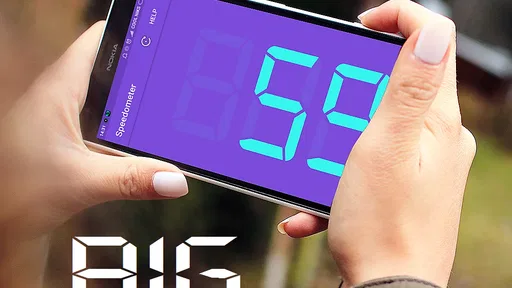
The app’s design is sleek and straightforward. There are no complicated menus or settings to navigate through. You’ve got a big, bold speedometer right on your screen with all your key metrics easily visible. The colors and fonts are easy on the eyes, making it simple to glance at your speed without getting distracted.
One of my favorite parts is the customizable dashboard. You can tweak it to show what matters most to you, whether it’s your average speed, distance traveled, or even altitude. It gives you a personalized experience that you can adjust based on whether you’re driving, cycling, or hiking.
Everyday situations where the extra readout helps
Imagine taking a familiar drive in a car with a speedometer that is difficult to read from your seat, or borrowing a vehicle whose dashboard is unfamiliar. I would set an alert before leaving, place the phone securely in view, and use the large display as a supplementary check. I would still follow road signs and rely on the vehicle’s instruments; the benefit is having a separate, easy-to-see reference rather than trying to explore menus while driving.
On a weekend bike ride, the appeal is different. I might want a simple sense of how fast I am moving on a long, open stretch and how far I have gone by the time I stop. A configurable dashboard can make those numbers more relevant than a general navigation screen. For training, though, I would treat a speed reading as one piece of context, not a complete coaching plan: it does not replace a dedicated fitness setup if I need structured workouts, detailed analysis, or carefully recorded training history.
For a hike, the app can be a curiosity tool rather than a navigation safeguard. Seeing movement speed or altitude may add context to a walk, but I would carry appropriate maps and equipment if route-finding matters. A speedometer is not a substitute for navigation, and I would not rely on a phone’s GPS display as my only help in unfamiliar terrain.
Practical Applications
So, when would you actually use GPS Speedometer: Speed Tracker? Well, the possibilities are pretty endless. I’ve used it while biking to track my speed and distance, and it’s been super helpful in training. If you’re a runner, it’s a great way to keep tabs on your pace. Drivers will appreciate it for its speed alert function, especially when navigating unfamiliar roads.
Another neat feature is its ability to work offline. Yes, you heard that right. The app can cache the GPS data, so even if you’re in a no-signal zone, you’re still covered. This is a lifesaver when you’re off the beaten path and want to keep track of your speed.
Useful trade-offs before relying on it
Offline use is helpful to distinguish from offline navigation. A GPS-based speed reading can remain useful where mobile data is unavailable, but that does not mean the app provides maps or directions without a connection. I would plan a route separately if I need one, then use the speed display for its narrower purpose. That distinction matters on rural trips: losing cellular service need not end a GPS readout, but it should not leave me assuming I can navigate with this app alone.
There is also a practical battery and mounting trade-off with any phone used as a live dashboard. Keeping a screen visible during a long ride or drive can consume power, and holding the phone in hand is unsafe. I would start with the phone charged, use a secure mount where appropriate, and avoid adjusting settings while moving. If I only want a glance now and then, the app is more convenient; if I need a permanent, always-on instrument, a dedicated device may suit me better.
Its strongest case is simplicity, not replacing every travel tool. Compared with a full navigation app, it keeps the focus on speed and distance rather than directions. Compared with a vehicle’s built-in instruments, it offers a portable display that can move between different kinds of trips, but it depends on the phone’s GPS and setup. Anyone who needs dependable route guidance, professional-grade measurement, or a permanent vehicle display should choose a tool built for that priority instead.
Who is likely to get the most value
I think the app is best for people who want a straightforward speed and distance readout without buying a separate speedometer first. Casual cyclists, walkers, runners, and drivers who want a supplemental display can all find a sensible use for it. The customization is particularly handy when the same person switches between activities: I can prioritize speed for one outing and distance or altitude for another rather than treating every trip the same way.
It is less suitable for someone who expects a complete navigation system, precise surveying equipment, or a detailed training log. It is also not the right choice for drivers who would need to look down repeatedly to operate a phone. In those cases, the safer or more useful option is the built-in vehicle display, a mounted navigation system, or a dedicated fitness device, depending on the need. I would choose this app when a clear supplementary readout is enough, not when the phone must become the only instrument I trust.
Final Thoughts
All in all, GPS Speedometer: Speed Tracker is one of those apps that fills a niche but does it exceptionally well. It’s user-friendly, accurate, and packed with features that make it more than just a simple speedometer. Whether you’re an athlete, a driver, or just someone curious about their speed, this app is worth checking out.
It’s free to download, so you’ve got nothing to lose by giving it a try. And who knows? You might find yourself relying on it more than you’d expect. So, go ahead, take it for a spin, and keep an eye on that speedometer!
My buy-or-skip verdict
Because it is free to download, I would try it if I wanted an uncomplicated GPS speed display and did not need a dedicated device. Its useful value is the combination of a live readout, distance tracking, a configurable dashboard, and speed alerts in one phone app. That is enough for casual checks and varied trips, provided I keep the safety and signal limitations in mind.
I would skip it if I were looking for route instructions, a replacement for a car’s instrument panel, or a specialized training platform. For those jobs, another category of tool is a better match. For someone who simply wants to see movement speed and distance on a phone, this is a practical, low-commitment option, and its broad adoption makes it an easy one to consider without mistaking popularity for a guarantee of perfect readings on every trip.
Pros
- Accurate speed tracking in real-time.
- User-friendly interface and design.
- Customizable display options.
- Offline functionality available.
- Battery-efficient performance.
Cons
- Ads can be intrusive at times.
- Limited features in the free version.
- No integration with fitness apps.
- Inconsistent updates and support.
- Requires GPS
- draining battery faster.
FAQs for GPS Speedometer: Speed Tracker
How accurate is the GPS Speedometer: Speed Tracker?
The GPS Speedometer: Speed Tracker is designed to be highly accurate, utilizing your device's GPS capabilities to provide precise speed readings. However, the accuracy can be influenced by factors such as GPS signal strength, weather conditions, and the quality of your device's GPS receiver. For optimal results, ensure you have a clear view of the sky and a strong GPS signal.
Does the app consume a lot of battery power?
GPS Speedometer: Speed Tracker does use GPS technology, which can be demanding on your device’s battery. To minimize battery consumption, consider running the app in the background only when necessary and close it when not in use. Additionally, reducing screen brightness and disabling other battery-intensive features can help prolong battery life.
Can I use GPS Speedometer: Speed Tracker offline?
While GPS Speedometer: Speed Tracker primarily relies on a GPS signal, an active internet connection is not required for basic speed tracking. However, certain features like real-time map updates or traffic information may require internet access. If you plan to use the app in remote areas, ensure your GPS signal is strong enough for reliable tracking.
Is the app suitable for cyclists or runners?
Yes, GPS Speedometer: Speed Tracker is versatile and can be used by cyclists and runners to monitor their speed and track routes. The app provides customizable settings to cater to various activities, making it a handy tool for both casual and professional users. It also offers data logging to analyze your performance over time.
What additional features does the app offer?
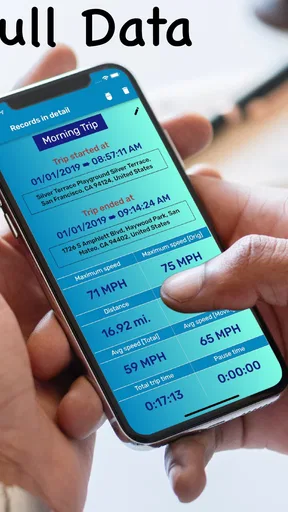
Apart from basic speed tracking, GPS Speedometer: Speed Tracker offers features such as trip logging, average speed calculation, and a HUD mode for easy visibility. Users can also set speed limits to receive alerts and customize units of measurement. These additional tools enhance the app’s functionality, making it more than just a speedometer.


